# Tuesday, March 09, 2010


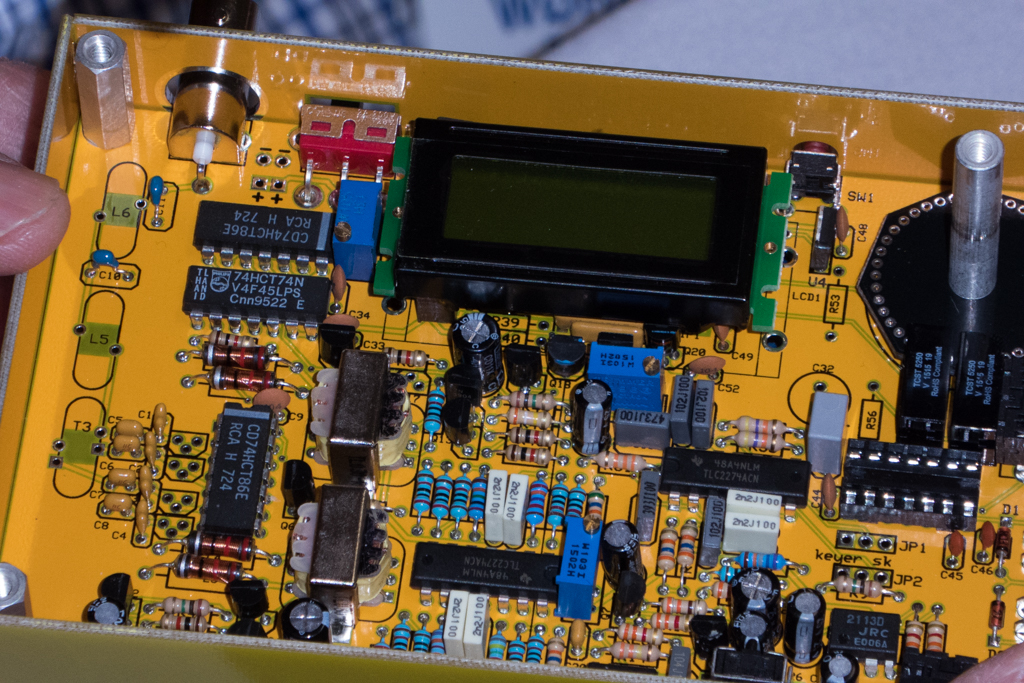
Ben (N2BEN... age 9) has been asking me for a few days if we could build a project or kit again. (A sign that he either has "the knack" or cabin fever.) So tonight I pushed my home brew projects a side pulled out my box of Elecraft transverter kits. I have a XV144 and XV432 that are awaiting some bench time to get built. (I have a completed XV222 that I have been using for about 2 years.)

So tonight we started the XV144 kit. We sorted the components into project boxes for temporary storage. We then assembled the front board. There are probably about 3 dozen components. I read the directions and handed the parts to Ben and then he put the parts onto the circuit board. We shared the soldering duties... he ran the iron and I ran the solder.

We probably spend about 70 minutes tonight on the project.

It will be fun to plug these into the K2 once the project is done.

73 de NG0R


Tuesday, March 09, 2010 9:11:26 PM (Eastern Standard Time, UTC-05:00)  #    
I stumbled across this while reading some blogs.

http://blog.g4ilo.com/2010/03/nano-40-schematic.html

It is fun to see other people posting schematics and then to poke around to try to figure out how they work.

Tuesday, March 09, 2010 8:40:37 PM (Eastern Standard Time, UTC-05:00)  #    
# Saturday, March 06, 2010
I am planning on making some printed circuit boards this weekend. Since I need to get out the chemicals & related supplies I might as well make several boards.  So in addition to the board for the parallel NPN transistors I thought that I would make up some 2N7000 FET experiments as well.

The circuit below is a dual FET design. The FETs are in parallel running in class A. The Gate is biased for approximately 2 volts of DC drive with virtually no current with assuming a bench power supply of 12-13.5 volts. (R3 and R4 are high values for current limiting aka to avoid self destruction.) The 2N7000 is rated for 200mA of safe current. (200mA would suggest a drain resistor of approximately 68ohms.) I don't really want to waste that much current but I want to see what this will draw. I would prefer that it consume current less than my NPN experiments which is about 25mA per device with 15 to 17dB of gain per device. (I assume that I will be changing the drain resistors once I know more about this FET.)

The image below shows what it looks like after spending a little bit of time bonding with FreePCB.  (The blue circle in the bottom left is a small hole to hold/retrieve the board in the etchant bath.)


The image below shows what the copper will look like (in black.)   The white areas will be removed by the etchant. The board looks big on the web but it is actually only about 1.5 x 1.5 inches total. (If I removed the text and extra space it could easily be condensed down to less than 1 x 1 inch.)


I don't know that I would would ever really use a design like this in the real world but I want to get a feel for how it performs. I have NOT used FETs in any of my designs or experiments yet so this is a good starting point.

Bipolar Junction Transistors are current devices. Field Effect Transistors are voltage devices. It is interesting working with each of them as they have different design considerations.

Some additional notes (before people start sending me emails):
  • The input impedance of this circuit is pretty high. It is not clear what high impedance is other than to say it could be way north of 1K. In this initial test I am not making any attempt to match the input. (That is why it is test.)

  • If I was going to try to match the input to something like my signal generator I would probably use a 1:4 or 1:5 turns ratio to take the 50 ohm source and transform it to between 800 and 1250 ohms.

  • The output of this should be approximately what the drain resistor value is. In this case it should see two 100 ohm resistors in parallel or 50 ohms. (I might be changing these resistors once I do some testing so it is a bit early to be too worried about matching the circuit. I would also need to now what the next circuit stage is that we need to integrate with.) It would be easy enough to wind a transformer on a T50-43 core to step-up/step-down as needed.

  • FETs are voltage sensitive.   Looking at the data sheet it appears that 60 volts is the max that the 2N7000 can handle. In a design for a "real" circuit it might be worth considering adding a zener diode to the drain to shunt off the excess voltage should it appear. (An example is running this circuit without having a load attached... it could spike the voltage on the drain to a fatal level. I have a limited number of 33 volt zeners on hand but that would potential for a design like this. For this test I am not going to worry about it. If I decide to use FETs in a "real" project I would probably include them.)
73 de NG0R


Saturday, March 06, 2010 11:47:54 PM (Eastern Standard Time, UTC-05:00)  #    
# Friday, March 05, 2010
G1INF has an interesting example to demonstrate how simple a DC receiver can be.

http://g1inf.blogspot.com/2009/11/usb-powered-direct-conversion-receiver.html

I happen to have some SA602 on hand from a Mouser order that I placed last week. I figured that it might be nice to have some on hand for some future projects. (I have not worked on building any receivers yet as I am focused on simple oscillator driven transmitters and how to build small signal gain stages at the moment.)

An interesting note in this blog post is that input impedance of the SA602 is 1500 ohms. I did not realize that but I have never really looked at the data sheet for the SA602 in detail.

Here is a link to the datasheet:
http://www.nxp.com/documents/data_sheet/SA602A.pdf

Here are some of more interesting excerpts:


Good geeky stuff from the the blog world.

73 de NG0R


Friday, March 05, 2010 9:56:12 AM (Eastern Standard Time, UTC-05:00)  #    
Tonight I converted the schematic to a layout for a printed circuit board.

I had several realizations tonight as I was laying this out.
  • I removed the parallel base resistors and replaced it with a single resistor.
    (I was battling a nightmare trying to route it on a single sided board when I realized that it was overkill and could be simplified. Wow... what a difference.)
  • I converted my 120 mil parts to 70 mil parts.
    (Now that my #67 drill bits have arrived I can work with much smaller pads even on home brew boards.)
  • The backplane of the board is now solid copper.
    (I have been wanting to test this and it was extremely simple.)
  • I figured out how to change the pilot hole size.
    (Used to center the drill bit)
  • I figured out how to change the size of the "copper-to-copper fill clearance"
    (15 mil looks pretty nice... I need to test it.)
  • I figured out how to change the "hole-edge to copper-fill clearance"
    (15 mil looks pretty nice... I need to test it.)
  • I can now route traces under/through other parts as needed as I start using smaller traces.
  • I expect this approach should etch much quicker as I am not removing nearly as much copper.

The new circuit board is remarkably simple compared to what I was playing with two hours ago. Quite a few tweaks in my process as I spend some time bonding with FreePCB.

I think that this will probably one of three boards that I will try to etch on Saturday.

Friday, March 05, 2010 12:32:11 AM (Eastern Standard Time, UTC-05:00)  #    
# Thursday, March 04, 2010
I am not very happy with the way that this schematic looks.  I suppose that if I ponder it a while I can probably find a better way to visualize the circuit.

This is the same basic circuit as what I posted last night using the Java simulator.


Summary:
We have three small signal NPN transistors running in parallel. I think that you could drop in a quite a few different parts with similar results. The bias on this is AC on the base of the transistor. That means that it is only going to turn on for the positive portion of the sign wave and when it cross zero and goes negative the transistor is going to turn off. This should run in "class C" since there is no DC bias to the base assuming that we are dealing with small signal parts.

This circuit is designed to be driven with about +10 to +20dBm with the parts as shown.  I would expect that the input may need a transformer given that input is likely around 20 ohms depending on the size base resistors used. (Base resistor / 3 = Zin) The output impedance of this is probably in the 200-300 ohm range so T1 is used to match it to something in the 50 ohm range.

Running in "class C" the current to gain ratio is probably not too bad. Running in "class A" this circuit would likely be extremely current hungry.

Plan:
I would like to try to make a board for this circuit and maybe a basic push-pull this weekend

PS... Morning notes:
  • I updated the picture as I had an artifact in thee that I thought that I had moved... but I had grabbed the wrong image.
  • I added point of clarification in red (above) about the input impedance.
  • It was suggested that I could use three 150 resistors to get a Zin of approx 50 ohms.
  • When I did the software modeling (grain of salt) a 50-100 ohm base resistor looked slightly better over all in the circuit with about 10dBm of input drive.
  • During the software modeling (grain of salt again) a 100-200 ohm base resistor looked slightly better over all in the circuit with about 20dBm of input drive.
  • It will likely be either a transformer on a T50 size core or a base resistor of 50-200 ohms either solution is cheap and easy depending on my mood and how it plays in the real world. (50-200 ohms will probably not play much differently. It is more likely going to be dependent on what parts I have on hand. I probably have 47, 51, and 100 ohm parts in bulk but probably not many or any 150 ohm.)


Thursday, March 04, 2010 12:21:41 AM (Eastern Standard Time, UTC-05:00)  #    
# Wednesday, March 03, 2010
I have seen several different pictures and schematics of some small signal transmitters that are using parallel NPNs to get 500-900mW of power. I keep running into these examples and they make me wonder.

I decided to try to put it into a simulator to see what it looks like.


Modeling:
This circuit is running in class C. The transistor base needs to be in 1.5-2 voltage range which is between +10 to +15 dBm range with +20 dBm looking like the upper limit as it starts getting current hungry in a hurry. I played with some different combinations of resistors in the voltage divider and adding some DC bias to the base. The DC bias could make it move into a different class beyond class C but the circuit got extremely current hungry which makes sense. (Class C is fine for a CW rig with some good low pass filtering.)

Plan:
I think that I will draw up this circuit in TinyCad and then move it into FreePCB to eventually make printed circuit board. Once the board is etched and the parts are stuffed I will measure and document it. I will then try to remodel this in software (either in the Java based simulator or LTSpice) to see how the physical model and software model compare.

Summary:
In the end this is a gimmick design using small signal parts like a PN2222 (2N2222A) and/or a 2N3904 to push out some real power. It likely would be more productive and stable to move this to a push-pull design and evaluate it based upon if it needs to be in class AB or C depending it's intended use. The other option beyond a push-pull design is to use a part that is somewhere between the "small signal" parts and the "high power" parts as a driver or pre-driver, or even a "final" depending on the desired power level.

With all of that being said... very high fun factor in the design and the software modeling tonight.

73 de NG0R

Wednesday, March 03, 2010 12:18:19 AM (Eastern Standard Time, UTC-05:00)  #    
# Sunday, February 28, 2010
I have spent quite a bit of time this week exploring several different ideas:
  • Design a two stage amp (each stage with about 15db of gain)
  • Be stingy with the current budget
  • Convert the design into a home brew printed circuit board
  • Home brew the etchant

Here is the schematic that I put together. I moved one cap and replaced the 2N3094 NPNs with PN2222 (2N2222A) NPNs. I have a ton of PN2222 on hand so I would prefer to use them up given how cheap they are. I guessed that input was some where around 25 ohms and the output was about 150-250 ohms. The input and output tranformers are wound to keep the overall circuit compatible with approx 50 ohms. (The circuit is similar to the single stage circuit that I had been testing with.)


Here is the finished board. I etched the board Friday night after dinner and stuffed the parts Sunday afternoon. The toriods are wound with left over CAT5 cable. The wire is a nice size to work with on T50 cores.


Let's apply some power... nice... no smoke is released!

The graph below shows the that we are seeing almost 30dB of gain with drive levels of -60dBm up to near -10dBm. The 2N3904 and PN2222 seem to lose gain near 0dBm of drive input and this circuit follows that model. The current draw is about 58.8mA.  This amp is running in Class A mode.


This circuit should be fine at any of the HF frequencies. I happen to be testing with 10.140MHz because I have a larger project that I am working on at that frequency.
  • The design is for wide band HF since there is no bandpass filter, lowpass filter, or tank circuit.
  • The PN2222 and 2N3904 are interchangeable in this design. I would suspect that there are quite a few other small signal NPN parts that you could drop in.
  • If you break this down and look at the first gain stage this design goes beyond a simple DC bias. C2 and R3 provide AC feedback in addition to the emitter with C3, R6, and R7.  Those two AC sections increase the gain and decrease the current consumed. Adding those components decreases the current consumption by about 20mA to get the same level of gain.
I have a oscillator and follower that is currently generating about -9dBm. Adding this dual stage amp to the mentioned circuit would put this at approx +20dBm or 100mW of RF. While that does not sound like huge power it is likely enough to feed a driver or pre-driver stage for an amplifier.

Summary:
I meet all of the goals for this particular mini-project. I feel much more comfortable putting together a design and making a home brew board that I am proud to show to other people. A variation of this circuit will like make it into other projects in the future.

73 de NG0R


Sunday, February 28, 2010 6:53:46 PM (Eastern Standard Time, UTC-05:00)  #    
Look at the PA circuit.

http://www.zianet.com/dhassall/QRSS.html

Kind of an interesting approach to a PA.

The image is lifted from the PDF. The PDF is pretty hard to read.

At first glance I would have thought that it is current hungry. On closer inspection it may not be running in class A. The base is running slightly above ground with no DC. Depending on how much AC is on the base this looks like more of a B, AB, or C design depending on the base voltage rise. The emitter is almost at ground with only 2.2 ohms of resistance.

It might be interesting to model this and then build as a simple circuit see the results.

Sunday, February 28, 2010 1:31:27 PM (Eastern Standard Time, UTC-05:00)  #    
# Friday, February 26, 2010
Tonight was the highlight of the project.... mix some chemicals up and make the board!

Once again here is the schematic that I going to work with. (There is a minor change or two on the board layout but it is pretty minor.) The schematic is laid out using TinyCad. (Free/opensource software)


I found one or two minor issues with traces that I fixed after this image but this is 99.5 what is on the board.
The board is laid out with FreePCB (Free/opensource).  From FreePCB I export the CAM files into the Gerber format. I open the Gerber file with Viewmate from Pentalogix (inexpensive program.) 


Tonight I took the project to the next level.

Steps:
  • I cut down a section of copper board & sanded the edges
  • I cleaned the board with a green cleaning pad and then rinsed it with acetone.
  • I printed out a template on the laser printer to register where the "print and peel" needed to be taped down to go thru the laser printer.
  • I printed a mirrored image on the print and peel (taped to a 8.5" x 11" sheet of paper.)
  • I attached  the small piece of "print & peel" paper to the copper board with masking tape.
  • I put the board & paper under my iron for about 60 seconds moving the iron around.
  • I ran the board & paper thru my GBC laminator twice.
  • I put the board & paper under my iron for about 60 seconds moving the iron around.
  • I ran the board & paper thru my GBC laminator twice.
  • I put the board & paper in a container filled with water for a couple of minutes.
  • I removed it from the water & then removed the tape and paper.


Next set of steps:
  • I touched up any holes or questionable spots with a Sharpie marker.
  • Put on the chemical gloves & safety glasses.
  • I then mixed up the chemicals in a Pyrex (glass) container. 1 part 3% Hydrogen Peroxide to 1 part Muriatic Acid.
    (The Muriatic acid is "hydrochloric acid" that can be purchased at a hardware store for $5 a gallon. It is used to clean pools, stone, car engines, etc. It is VERY strong so be careful.) Add the acid to the Hydrogen Peroxide to make sure that you don't have a run away exothermic reaction.
  • Drop the board in the Pyrex tray and agitate the tray every two minutes. (Warm chemicals will make the process go faster.)
  • My first board took about 12-15 minutes. I could probably cut it in 1/2 with the etchant at 100 degrees F.
  • Once the board is done rinse / soak the board in water while you clean up.
  • Pour the etchant into a plastic bottle (using a funnel) for reuse later for additional boards.
  • Rinse the Pyrex tray, funnel, bottles, gloves, etc under running water. Rinse out the sink REALLY well.
  • Remove the laser toner from the board with Acetone and a rag.


Ok I have to admit that initially I was going to only use the GBC laminator to heat the board & paper. It did NOT get the board to the 300F/150C that is needed to refuse the toner. It appears that this model only runs to 110C until it is hacked. I am researching that piece but it appears that you replace a resistor in the thermistor feedback circuit circuit. I am still looking for more detail as it would be nice to loose the IRON set in this process.

I removed the toner from the laminator only test and reran the process with the steps listed above.

Additional notes:
  • My first board has .020" traces with .120" pads. Since I am going to drill this with a small press I figured that I should make sure that I leave myself enough pad to work with. This board is only a single sided copper board.
  • I was worried that some of my traces would be undercut with the etchant. It was not an issue. I could easily have worked with .010" traces.
  • The process worked well enough that I could have used pin registration and two sheets of paper to make a double sided board.
  • I am now comfortable enough with TinyCad and FreePCB that I could crank out a schematic, board layout, and Gerber files for small/basic projects in an evening +/-.
73 de NG0R

Friday, February 26, 2010 11:50:00 PM (Eastern Standard Time, UTC-05:00)  #    
# Wednesday, February 24, 2010
Here is the schematic from yesterday.


Here is an image of the updated single sided board layout.
  • I changed the resistors and capacitors with some self brewed parts in FreePCB. The new parts have 120 mil pads so that they can be drilled with a 1/16 drill. (I have smaller bits on order.)
  • I created a new NPN TO-92 part with the emitter, base, and collector layer the same as my PN2222 and 2N3904 layout. I created the parts with 120 mil pads.
  • I also created a part layout for some T50 toroids that will be used as the input and output transformers.
  • The area with the cross hatch is the copper ground on the empty space on the board.


The image below is what it will look like when I print on the "print and peel" transfer paper. The only difference is that it will mirrored at the final printing. (The tool that I am using to read the Gerber file has a mirror option in the printer settings.)

The image below shows what the silk screen would look like if I was going to send it off to a commercial board shop. In my case I will just use it as a layout tool when I plug in the parts.

I hope to etch the board on Saturday pending other family related duties & projects.

Wednesday, February 24, 2010 11:09:02 PM (Eastern Standard Time, UTC-05:00)  #    
I want to test out a variation of a circuit to see how much gain it produces, how much current it consumes, how broadband that it is, and what drives levels work or don't work.

So tonight I laid out a schematic in TinyCad and had N0FP proof it for me via email/telephone. (A second set of eyes is always helpful.)

I then imported the netlist into FreePCB. I decided to manually layout the parts and route the connections since this is a single sided board. (You can use the autorouter with boards that have two or more sides. But I am not ready to etch 2 side boards yet.)  I took about an hour to route the board. That is not too bad for my first serious attempt.

I did not get too radical routing ground and traces under other parts. This will be the first board that I will be etching at my home so we need to start simple. The hashed areas are additional ground plan that I added back to the board in the free spaces.


I then exported the CAM files into Gerber and PNG formats.

How cool is that?    A better board would have a more complete ground plan under the parts and/or use the second side as the ground plan to make it more stable at RF frequencies. At HF this little 2 inch x 3 inch board should be just fine. (Yes, I am aware that I will need to mirror the image before I transfer the toner to the board.)

The real issue that I have is that I can't make the vias (holes) large enough for me to comfortably drill them out with the tools that I have on hand. (It is likely a software setting... I can change the trace width... just not the vias enough to matter.) I do have some additional bits and a drill press type holder coming for my dremel type tool. Hopefully the new bits will be small enough. (To cheat on this board I might just open the image in GIMP and enlarge it a couple of percent so that I can use the drill bits that I have on hand right now.... this is a prototype board after all.)

A couple of lessons learned already:
  1. Consider making a two sided board. (Even if the second side is just a ground plane.) This will let you the auto router which will layout your parts and traces in a minute or two compared to 45-60 minutes manually. (You can always use the autorouter as a starting point and then manually convert it back to a single sided board.)
  2. Use the second side as a ground plane only. Drill thru to ground the parts where needed.
  3. Consider using surface mount parts where possible. It will conserve a lot of space and will reduce the amount of drilling that you may need to do. (I am not ready to move to SMT yet... but I can see where it might be nice in the future.)
This was an excellent experience tonight and I will do it again. I hope to try to make the board sometime either this week or over the weekend.

73 de NG0R

PS.... I am looking at the layout and proofing it against the schematic. I just noticed that the pin layout of Q1 & Q2 on board layout does not match the schematic. The base and emitter are reversed on the board layout. Probably a variation in the T-92 part in the library. I can tweak that tomorrow in a couple of minutes so it is not a big deal. :-) 

It might be a reason to try to run it through the autorouter to how that process plays as a two sided board. (One side with parts and the other with a ground plane)

Wednesday, February 24, 2010 1:17:49 AM (Eastern Standard Time, UTC-05:00)  #    
# Monday, February 22, 2010


Here is N2BEN working W0TLE on 6m SSB tonight.
(This is 6m contact #2)


Monday, February 22, 2010 9:18:05 PM (Eastern Standard Time, UTC-05:00)  #    
I saw a schematic on the web that I wanted to validate....


The original article that I was reading suggested something like 15-17dB of gain. I thought that was a little optimistic for a circuit with only DC bias. I expected it to be current hungry and to be closer to 15dB of gain based upon some other tests that I had run with similar components.


I did not go crazy with a wide range of test scenarios. The circuit is looking for an input drive level of -10dBm to +10dBm. The circuit is pretty hungry at 57mA with only 13.5 dBm of gain.

Some simple tweaks should be able to cut the current in half while pushing up the gain some more while in class A operation.

Please see my notes at:
http://www.hoaglun.com/Blog/PermaLink.aspx?guid=2de9126d-9ed0-4826-b14f-80f655ca5002

Oh yeah... I know that I need to come up with a bifilar transformer icon.  :-)

I had the parts on hand so it only took about 15 minutes to bread board it and test it with the signal generator and power meter.

Monday, February 22, 2010 9:06:04 PM (Eastern Standard Time, UTC-05:00)  #    
# Sunday, February 21, 2010
I am still reading and trying to figure out the differences in how each class is biased.


Class A is the most common example and pretty well documented:
  • R3 is controlling the majority of the current for the device
  • R1 & R2 are a DC voltage divider probably about ~1/2 the Voltage at the collector
  • T1 (which could also be a resistor) at the Q1 collector is ~ 1/2 Vcc
  • Tweak the R3 / T1 (or the resistor substitute or T1) ratio drive your power output.
  • Current hungry circuit.
  • Can easily get 10, 15, and approaching 20dB of gain
  • I am seeing 17dB of gain with 25mA with some additional AC feedback at the emitter, and between the collector and base.
  • The amp is running 100% duty cycle.
------------------------


Class AB or B is discussed in detail but very few math examples:
  • Configure R1 & R2 for about 0.7v. This will largely determine what class you are in. The higher the voltage the more likely you are to be in class AB or A. The lower the voltage the closer to B or even C.
  • R3 is largely controlling the device current
  • T1 (which could also become a resistor) is being used to transform the output to match the next stage. 
  • The amp is running between around 50% duty cycle.
  • Normally this is used in a push-pull pair.
  • AB in a push-pull pair can have some cross-over distortion because there is a period of time in the sine wave where there is no signal when both transistors are in the off state.
  • Can be used for audio or SSB circuits as there is little distortion especially in class B.
------------------------


Class C is discussed in detail but very few math examples:
  • Set R3 for current level of the device
  • R2 serves as a wideband load for the input driver. Decreasing this resistance can improve stability at the price of gain.
  • The base only turns on when there is enough positive drive.
  • The duty cycle is less than 50%
  • Should only be used for CW or FM given the distortion in the sine wave.
  • Could be harmonic rich so output filter needs to be investigated.
  • T1 (which could also become a resistor) is being used to transform the output to match the next stage.
  • I will design T1 for a 200 ohm to 50 ohm match. This is just a shot in the dark initially but I need a starting point to test with. A T50-61 toroid with 7 turns on the primary and 3 turns on the secondary will provide a transformation of 220 ohms to 40 ohms.  At 10MHz a T50-61 toriod with 7 turns is z=220, L=3.5uH, C=72pF.
  • The input of this circuit is probably low impedance. For my initial testing I will probably build a 50 ohm to 12 ohm transformer and see if that helps. (I am using my signal generator for my initial testing which is 50 ohms. I will probably use 8 turns to 4 turns on a T50-43 or T50-61 core.)
  • EMRFD suggests using a Zener diode at the collector that is 3x the Vcc value but less than the transistor break down. The idea is to prevent the transistor from self destructing at extreme voltage peaks while otherwise being largely invisible to the circuit.
------------------------

Open Questions:
  • In class AB, B, and C how should we be be calculating the amount of current that we designing for?

  • How should we be sizing T1?
    T1 shown in the examples above is functioning as an RF choke, collector resistor, and output transformer. (Lots of value from that one part.)   The examples that I have seen don't include much math or reasoning. It would seem like there is some current limiting happening in T1 acting as a resistor that should be factored in.

  • How does the R2 (base current) and T1 (collector current) ratio interact?

  • How do we model/suggest/approximate the power gain in these designs?

I will try to come back and update this post with additional notes & corrections as I learn more.

Sunday, February 21, 2010 11:27:23 AM (Eastern Standard Time, UTC-05:00)  #